March 16, 2026 · Martina Pérez
Once upon a time in design tools
From Maya to AI: why the best tools understand design intent.
Some design tools do more than help you work faster. They seem to understand what you're trying to create.
I've experienced that feeling with very different tools over the years, from 3D modelling software to interactive prototyping tools and, more recently, AI-powered development environments.
What connects them isn't their feature set. It's how closely they translate design intent into something tangible.
Lovable has become the latest tool to give me that feeling.
The tools that shaped my mindset
Maya
It first happened with Maya when I was studying Audiovisual Communication at university. I remember thinking that I wanted to become a 3D modeller and make animated films for a living. The tool was complex, but it let you turn an imagined object or scene into something real. The time and effort required to learn it felt worthwhile because of what it made possible.
Flash
The next tool that surprised me was Adobe Flash. I remember creating animated marketing banners for telecom operators. Being able to use ActionScript to code animations opened up new possibilities and made parts of the process much faster. Sound familiar?
Looking back, the connection to AI isn't simply about saving time. In both cases, the tool changes how directly you can translate an idea into an executable result.
When design tools became beautiful
Sketch and Zeplin
When I started focusing on product design, Sketch and Zeplin changed how I worked. They made interface design more focused than using general-purpose tools like Photoshop and Illustrator.
Zeplin also stood out for trying to bridge the gap between design and engineering and improve handoff. It was an early example of a tool addressing not just the work of designing, but the collaboration needed to bring a design to life. Pieter Omvlee, Pelin Kenez and Merih Akar will always have a place in my heart.
InVision
InVision made interactive prototyping accessible without writing code. It helped designers communicate how an experience should work, not just how a screen should look. At a time when teams were still working to establish and communicate the product design process, that mattered.
Figma
When Figma arrived, I was sceptical and kept using Sketch for a while. I found Figma more complex, but its collaborative capabilities eventually won me over, especially when I started working remotely.
Its strength was bringing design and collaboration together. The trade-off, for me, was that some workflows, particularly prototyping, could become hard to manage. Something just felt off when you had 300 arrows that you couldn't really identify across God knows how many screens.
Framer
I also fell in love with Framer. I even wrote a long tutorial about how to use Sketch and Framer back then.
Framer let designers explore motion and dynamic experiences in ways that felt different from conventional screen-based prototyping.
Over time, Framer evolved into a website-building platform, giving designers more control over how they presented their work online. That shift is a useful reminder that tools don't simply replace one another. Sometimes they find a different problem worth solving.
The AI shift
More recently, tools such as Cursor, Lovable, Bolt, Replit, Figma Make and Claude Code have changed what's possible. Designers can move beyond static designs and prototypes and work towards functioning experiences.
But these tools aren't interchangeable. Some are better suited to exploring a visual concept; others are stronger for editing code, implementing functionality or working with an existing codebase. The important question isn't which tool is best overall, but which one creates the least friction for the work you're trying to do.
Cursor
Cursor is powerful and efficient for building software, but for the kind of visual exploration I wanted to do, it introduced friction. I found myself dealing with the local preview setup and an interface designed around code rather than visual iteration.
That doesn't make it the wrong tool for designers. It means the fit depends on the task and the way you prefer to work. If too much of your time goes into managing the tool rather than exploring the idea, it may be worth trying a different workflow.
Lovable
When I first tried Lovable, I liked its simplicity but found quick edits frustrating. I'd change something in the code or the inline editor, save it, and nothing happened. I did it again, but nothing happened. Once more, nothing. So I'd end up chatting with the tool instead, and spending credits.
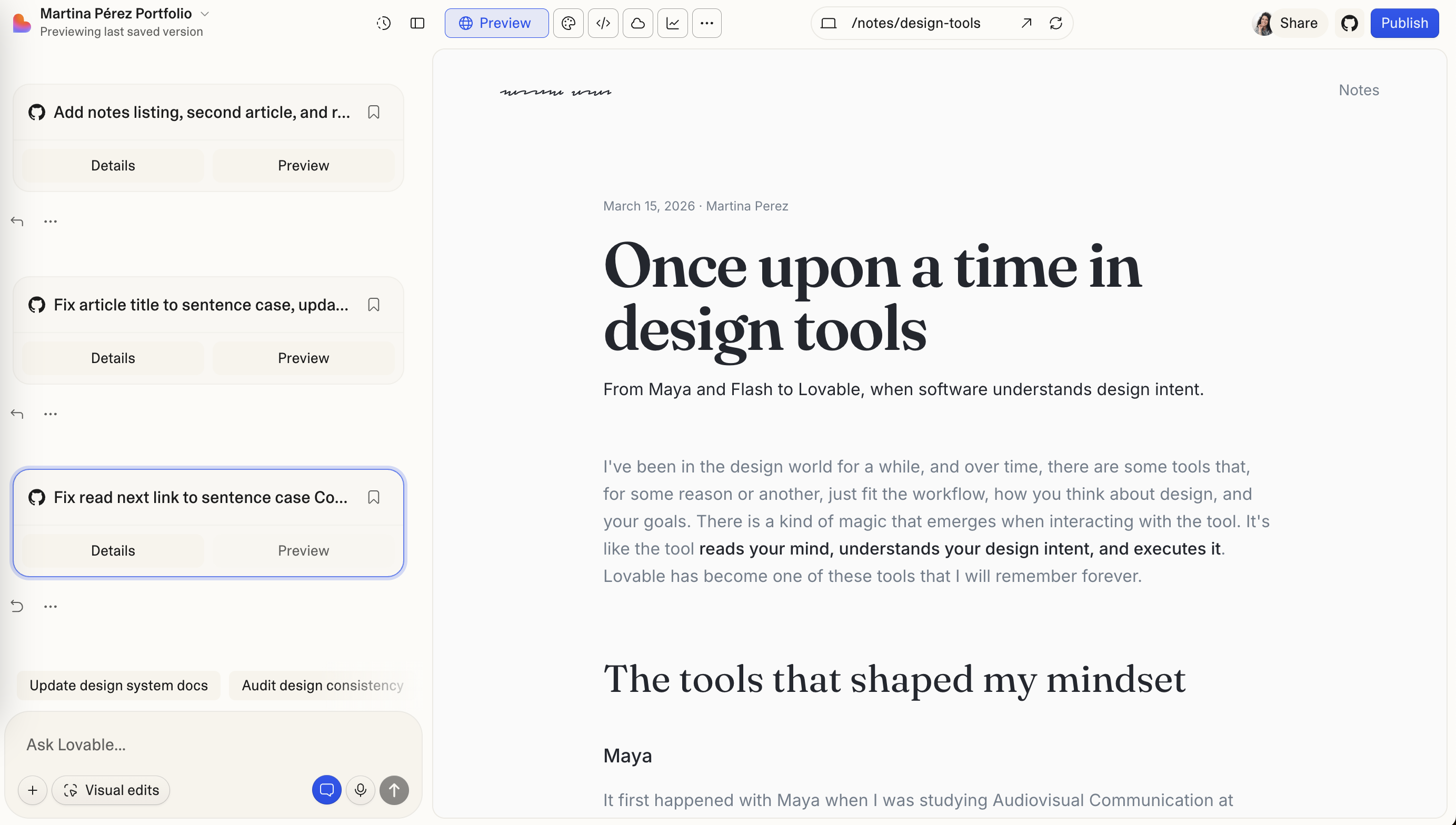
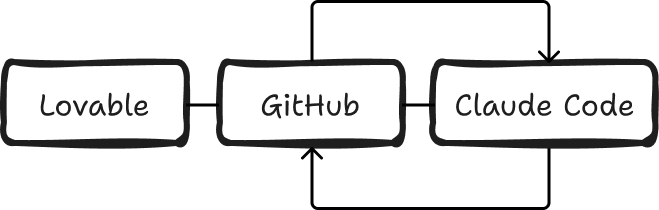
Connecting it to GitHub changed that: I could edit the code in my own editor and see the result in Lovable. No single tool solves everything. What matters is how well the tools work together, and how much friction they remove from the process.
From concept to implementation
Recently, I rebuilt my entire website with Lovable, after spending two months on a concept I couldn't get right in Framer: a messy network of lines that organises itself as you scroll, like a brain finding its connections. In Framer I had the idea, but it stayed static and never had the punch I wanted. In Lovable, it only came alive once the lines started travelling from one point to another, and once the concept was clear, it took me a few hours.
That experience reminded me what I value most in a design tool. Not the number of features it offers, or how much it can automate, but how effectively it helps me translate an idea into something tangible.
The best tools don't replace the designer's intent. They reduce the distance between having an idea and being able to explore it, test it, and make it real.